Downloading a Video
This page guides you through the process of downloading a video using direct download in Forzify MAM.
Please note that for downloading your video in a specefic format you should select Prepare Export option.
Steps to Download a Video
- Log in to the application by following the steps in the Login Page.
- After logging in, navigate to the video you want to download.
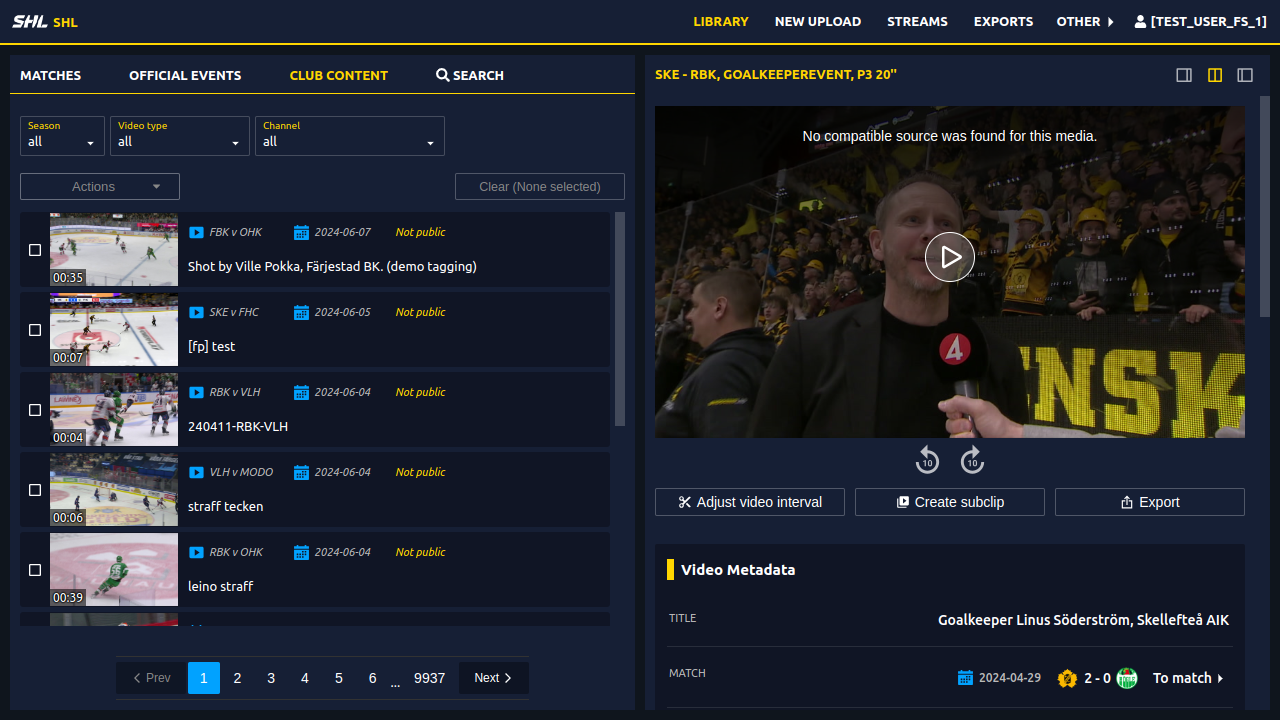
- Click on the "Export" button.
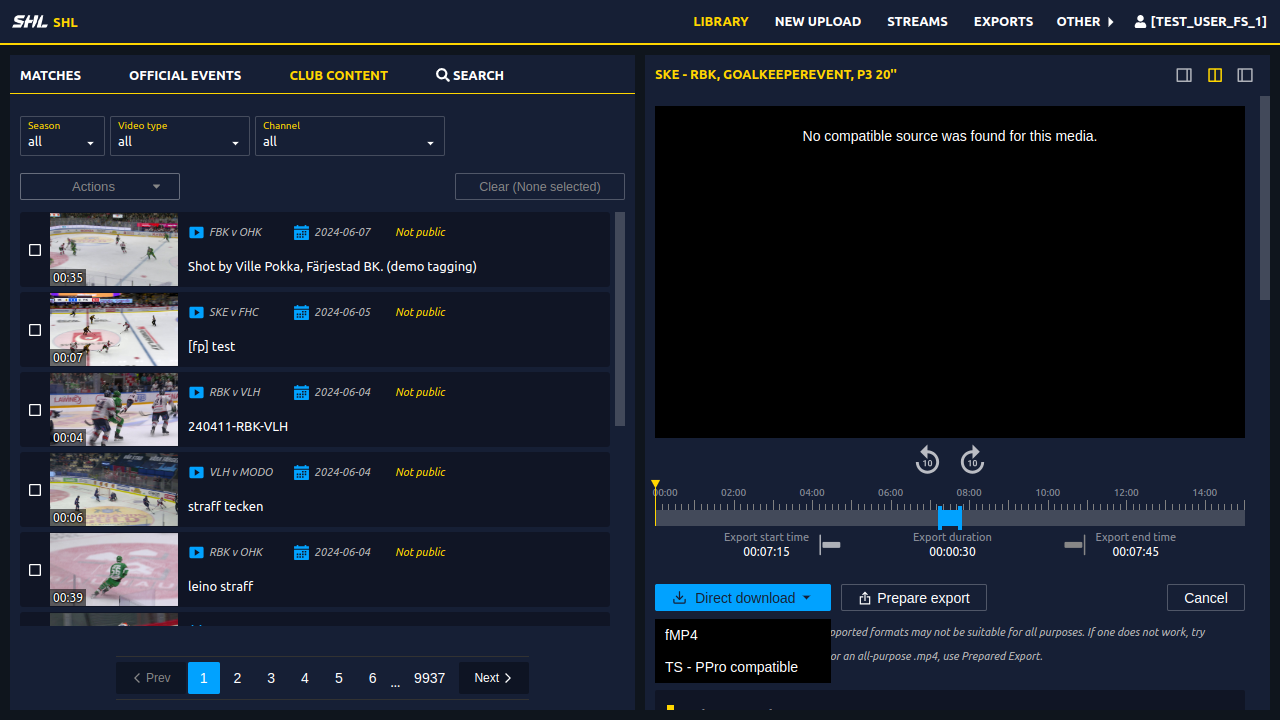
- Click on the "Direct download" button to see the available options.
- You will see fMP4 and TS (compatible with Adobe Premiere Pro) click to start download.
Snapshots
Below are snapshots of the download process:
Click on Export
Available options for Direct Download
 If you encounter any issues while trying to download a video, please contact our support team.
Need Help?
If you encounter any issues, don’t hesitate to contact our Support Team for help.