Share to X (Twitter)
You can easily share your exported videos directly to X (formerly Twitter) through the MAM platform. This guide walks you through the entire process—from selecting the export to finalizing your post.
Steps to Share to X (Twitter)
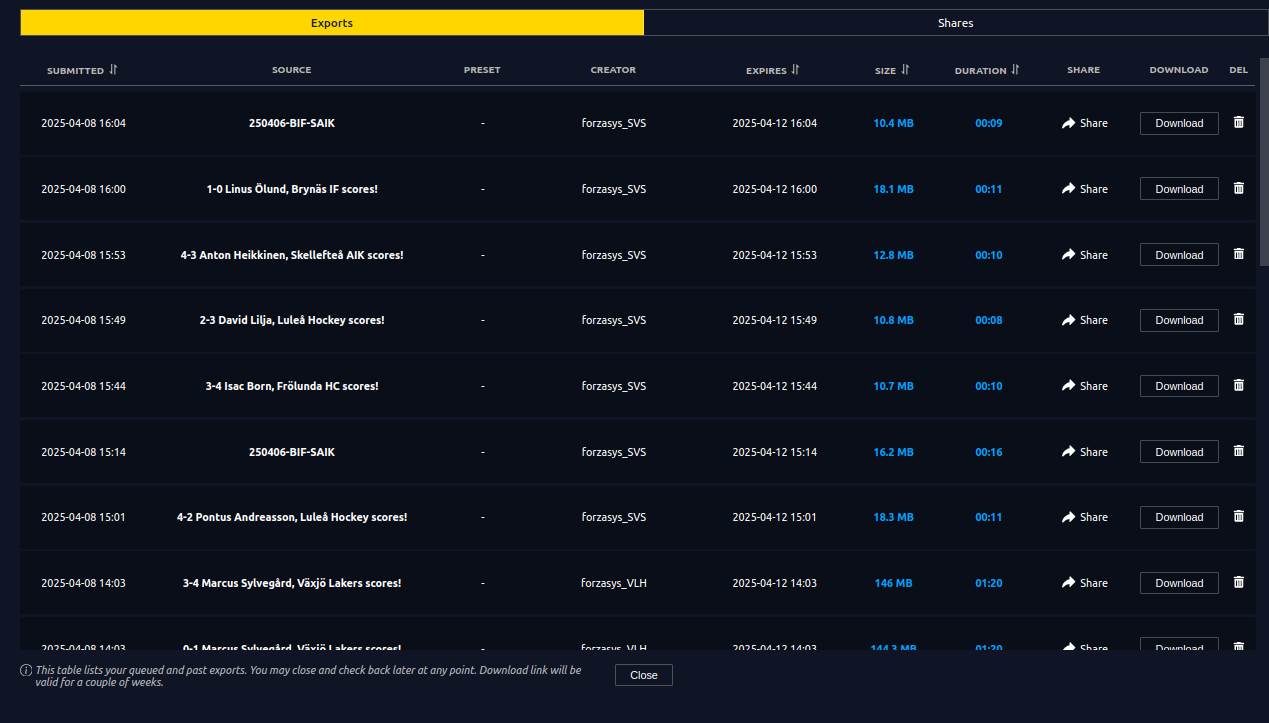
1. Open the Export Table
To begin:
- Go to the top navigation bar.
- Click on Export to open the export table, where you’ll find all previously exported videos.
2. Select a Video to Share
- From the export table, locate the video you want to share.
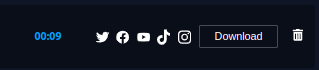
- Hover over the Share button on the selected video.
- From the dropdown, click on X (Twitter).
3. X Share Window
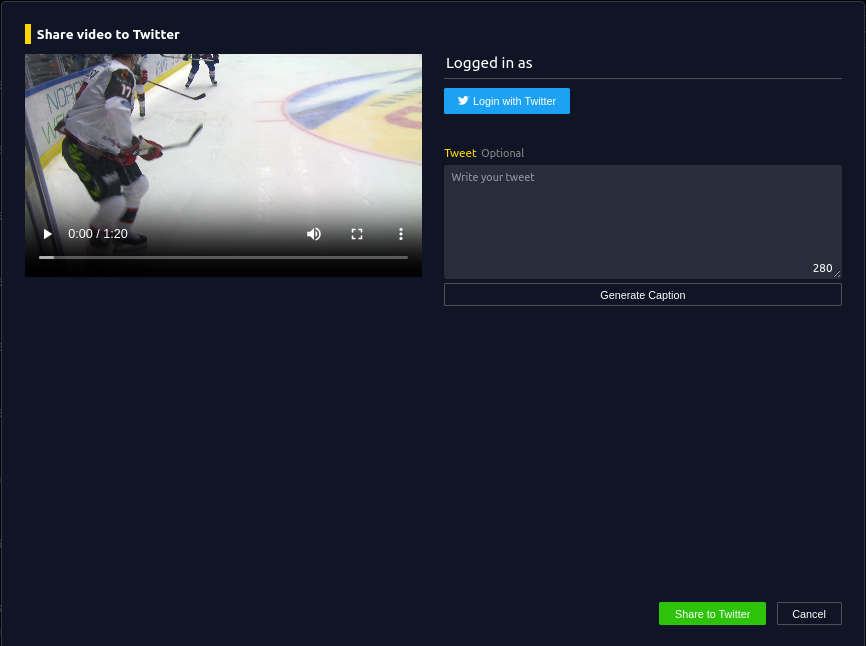
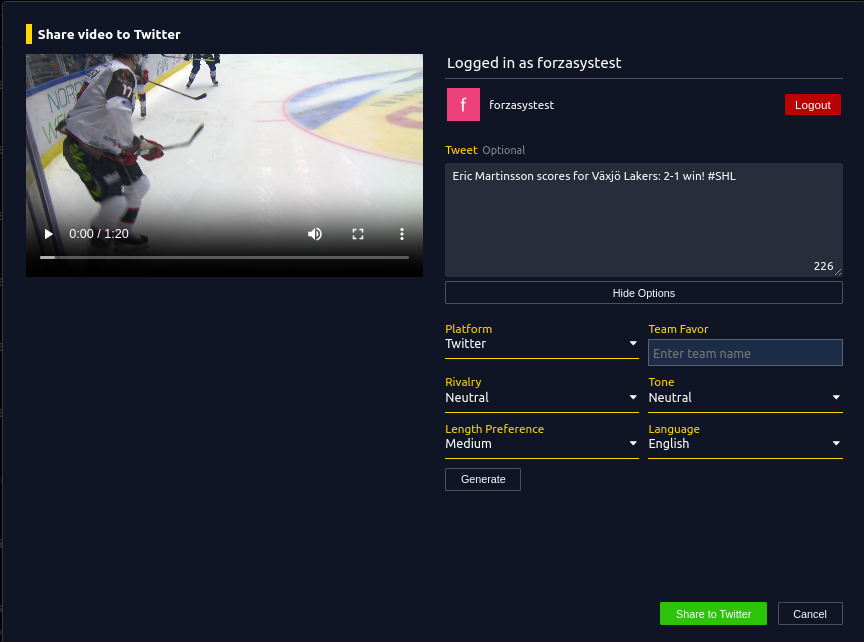
After selecting X, a new share window will appear.
In this window, you’ll be able to:
- Preview the video you're about to share.
- Log in to your X account.
- Write a Tweet (your post text) manually or with AI.
4. Log in to X
Click on Log in to X (Twitter).
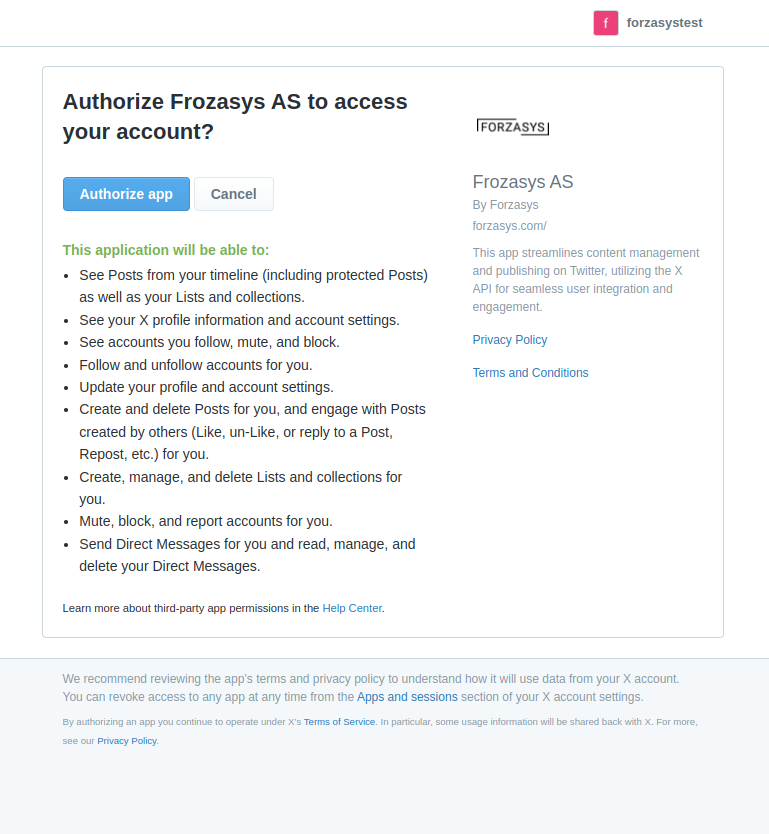
A pop-up window will appear asking for your X credentials and requesting permissions for the Forzasys app to post on your behalf.
✅ Tip: Ensure you accept all required permissions to enable posting and click on Authorize.
5. Return to MAM & Share
Once logged in:
- The login window will automatically close.
- You’ll return to the X share screen, now showing your X username at the top.
Make sure your Tweet are set, then click Share.
6. Monitor Share Status in Share Table
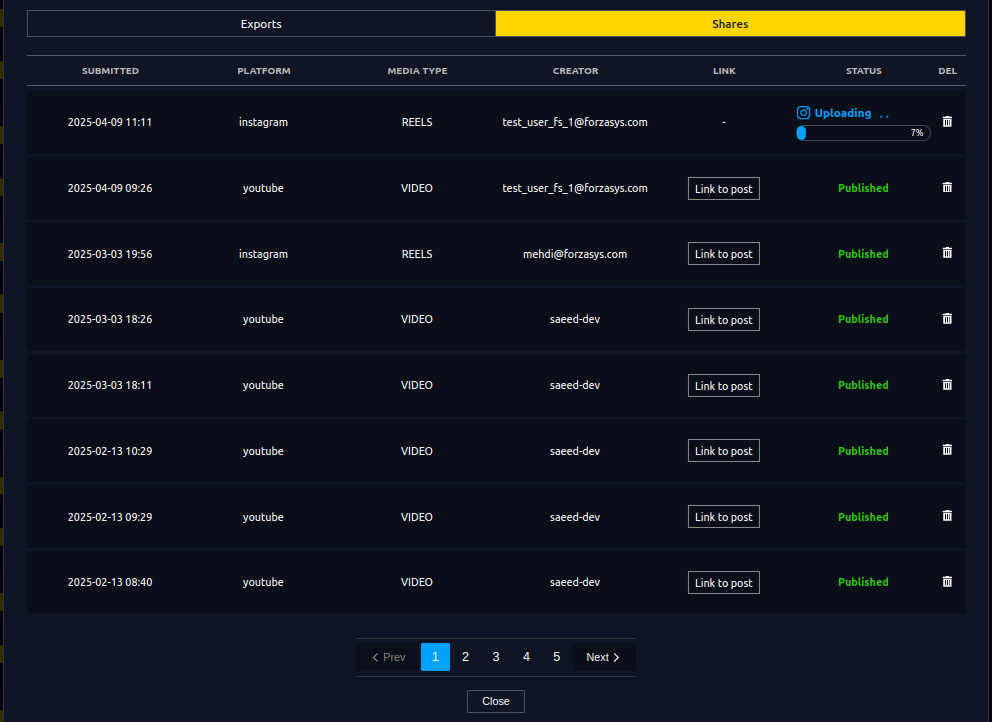
After clicking Share, the Share Table will open automatically.
Here you’ll see:
- The status of your current X post.
- A history of previous and scheduled social media shares.
- A direct link to the X post once it’s live.
7. View the Post on X
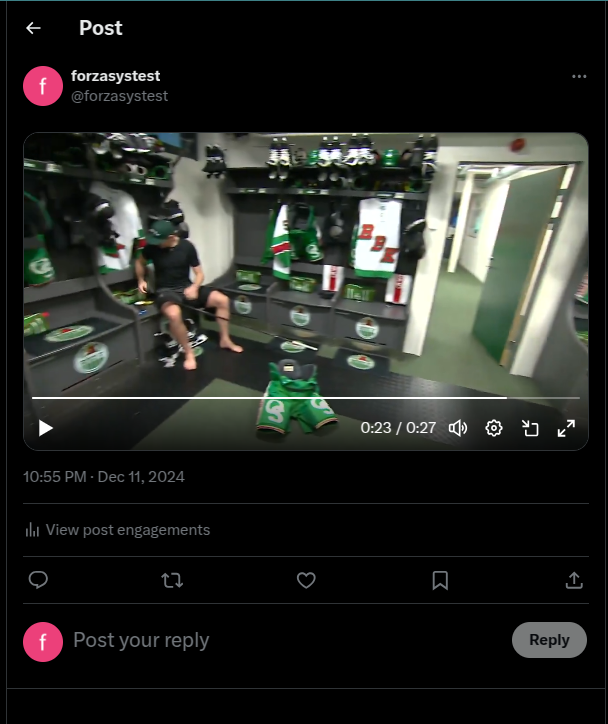
Once the upload is complete, click on the Link to Post in the Share Table to open your post directly on X.
- You’ll be redirected to your X post.
- From there, you can view engagement stats, respond to replies, and manage visibility.
Need Assistance?
If something doesn't go as expected, don’t worry! Reach out to our Support Team and we’ll get you sorted.